Skip to content

Edit your save.Keep your save.

A desktop editor for Digimon Story: Time Stranger. It copies your save file before it changes it, and asks you before it does either.

Built withRustTauri 2React 19a desktop editor for Digimon Story: Time Stranger

The file

One save slot3,098,176 bytes · AES-128-ECB
0x0000000x2F464065.4% past the last region

Seven regions, all inside the first third. The editor has never mapped the rest — neither the619,076 bytes of gaps between them nor the2,025,120 bytes of tail after them,2,644,196 in all, 85.3% of the file. It reads them, copies them, and writes them back exactly as they were.

  • 0x000000Header256 BName, playtime, and the party trio the game's load screen shows.
  • 0x001000Party & box335,872 BEvery Digimon you carry, one 336-byte record each.
  • 0x053000Farm36,864 BThe ones back at the farm, eight bytes wider apiece.
  • 0x05C100Scan data2,332 BOne scan percentage per species, four bytes each.
  • 0x05D2A8Field guide9,600 BSeen and owned, as status bits — recovered by decompiling.
  • 0x06E300Inventory36,000 B1,500 slots, each an item id and a quantity.
  • 0x0FDE80Agent33,056 BYour money, rank and Anomaly Points, then 208 skill nodes.
  • 0x105FA0Tail2,025,120 BNothing mapped past here — read, copied through, written back byte for byte.

Offsets read from save/layout.rs at build time. Gridlines mark 512 KB. The header and scan data are drawn at a 2px floor; at true scale each is thinner than one pixel.

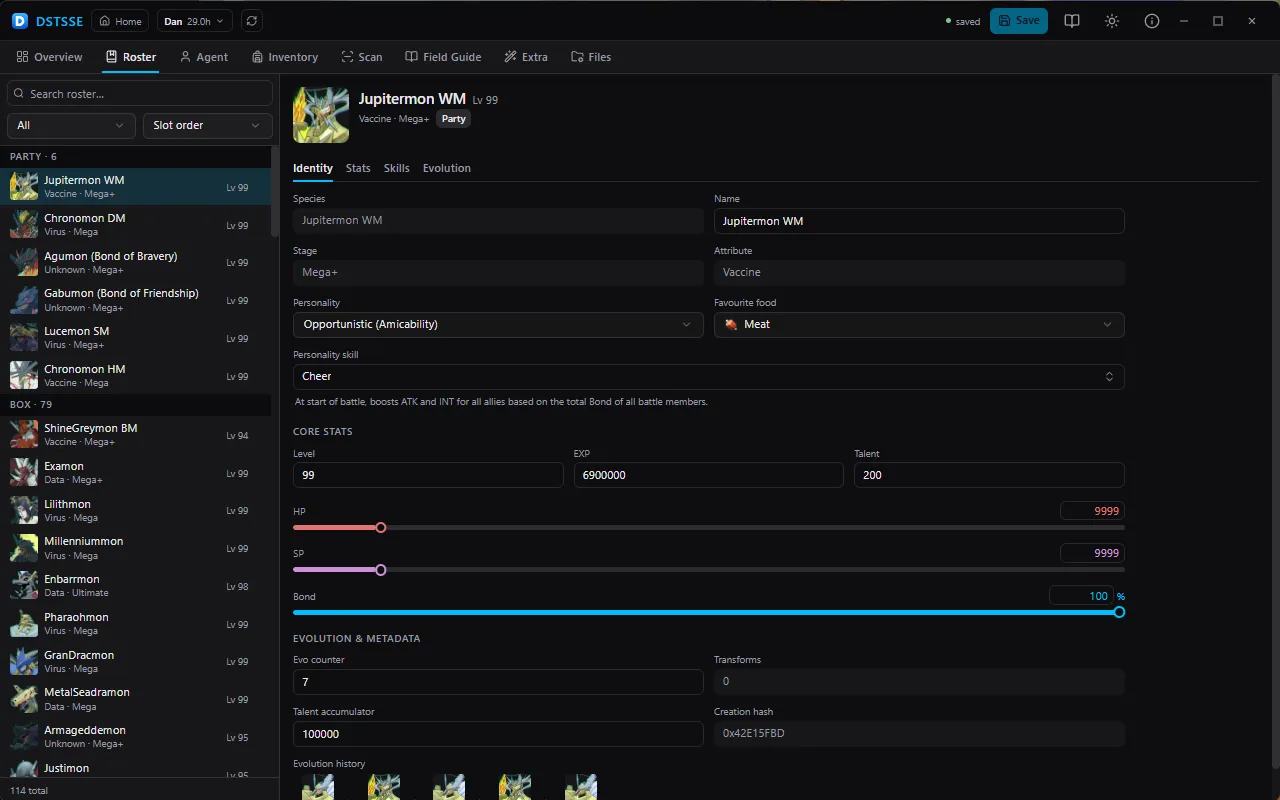
The roster editor: party, box and farm listed beside one Digimon's detail pane

Safety

What happens when you press Ctrl+S

A save editor's real risk was never a wrong stat. It's a corrupted file and a hundred hours gone — so this is the only route to your save, and this is every step of it.

  1. 01

    It shows you the batch

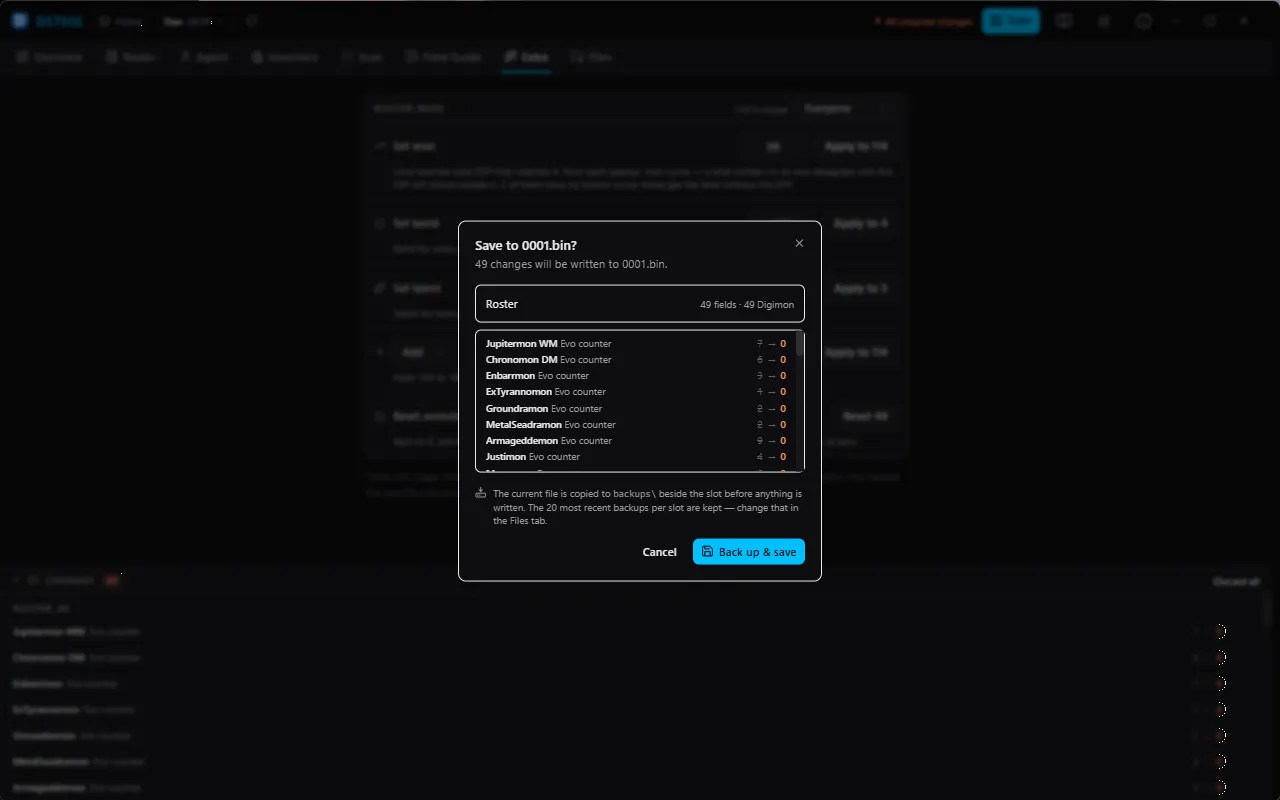
    A dialog names the file, counts the changes and lists every one of them, per editor. Nothing gets past this without you.

    Cancel, and not a byte moves.

  2. 02

    It checks the whole batch first

    Every edit is validated before any is applied, then applied to a copy of the decrypted file rather than the file itself.

    One bad edit rejects the batch — the save stays exactly as it was.

  3. 03

    It copies your file

    The slot is copied to a timestamped backup beside it. You choose how many to keep, from 1 to 100, and the app reads that setting from its own backend rather than trusting the screen.

    If the copy fails, the write is abandoned. There is no “save anyway”.

  4. 04

    It writes beside, then renames

    The new file is written next to the old one and swapped in by rename, which the filesystem does in one step.

    Pull the power mid-save and you still have a whole file, not half of one.

  5. 05

    You can put it back

    Any backup restores from the Files tab. It is decrypted and parsed before anything is overwritten, and your current state is copied out first.

    Restore the wrong one and you can walk that back too.

The save confirmation dialog: 49 changes will be written to 0001.bin, with the backup it will make named beneath the list
Step 01, as it actually looks. The button readsBack up & save because that is the order it happens in.

Nothing is uploaded, ever. No network calls, no telemetry, no account — the app ships without an HTTP client at all. It reads the save files already on your disk and writes them back to the same place.

Screens

Every screen, and what it changes

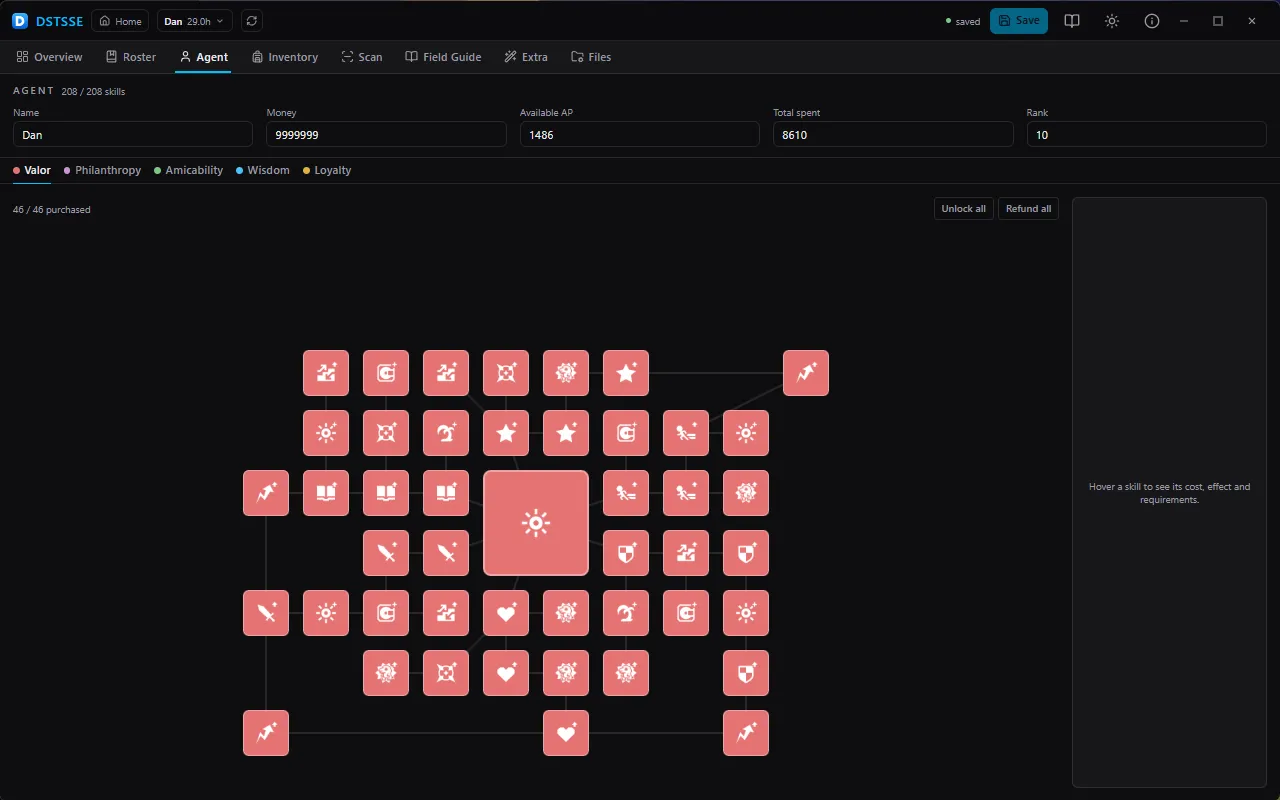
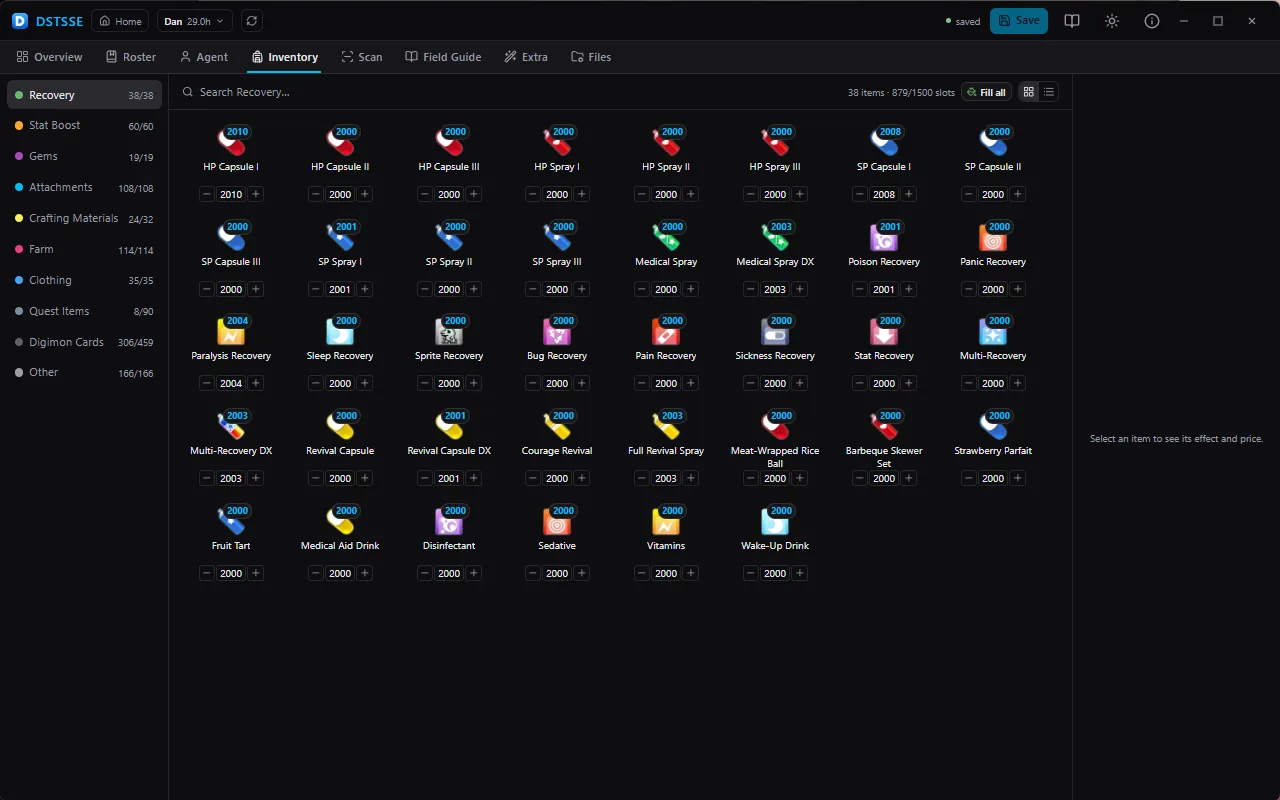
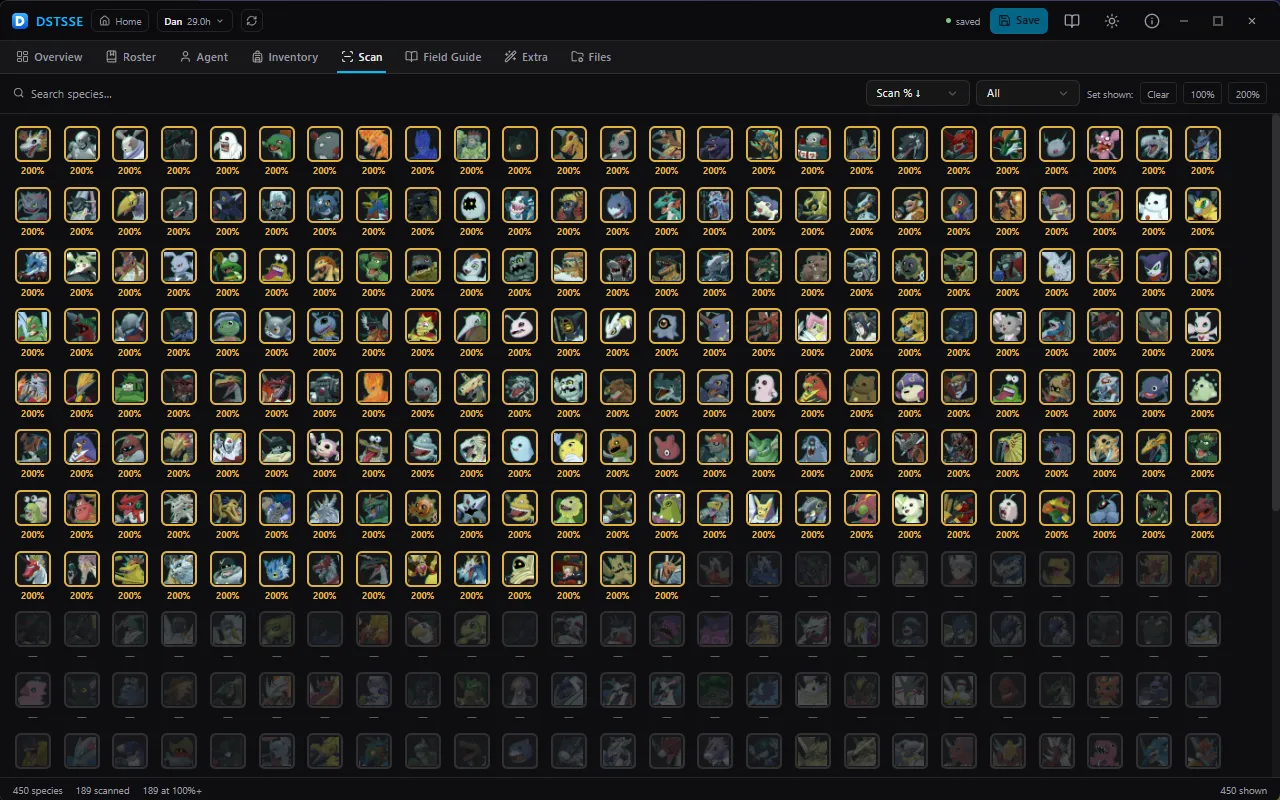
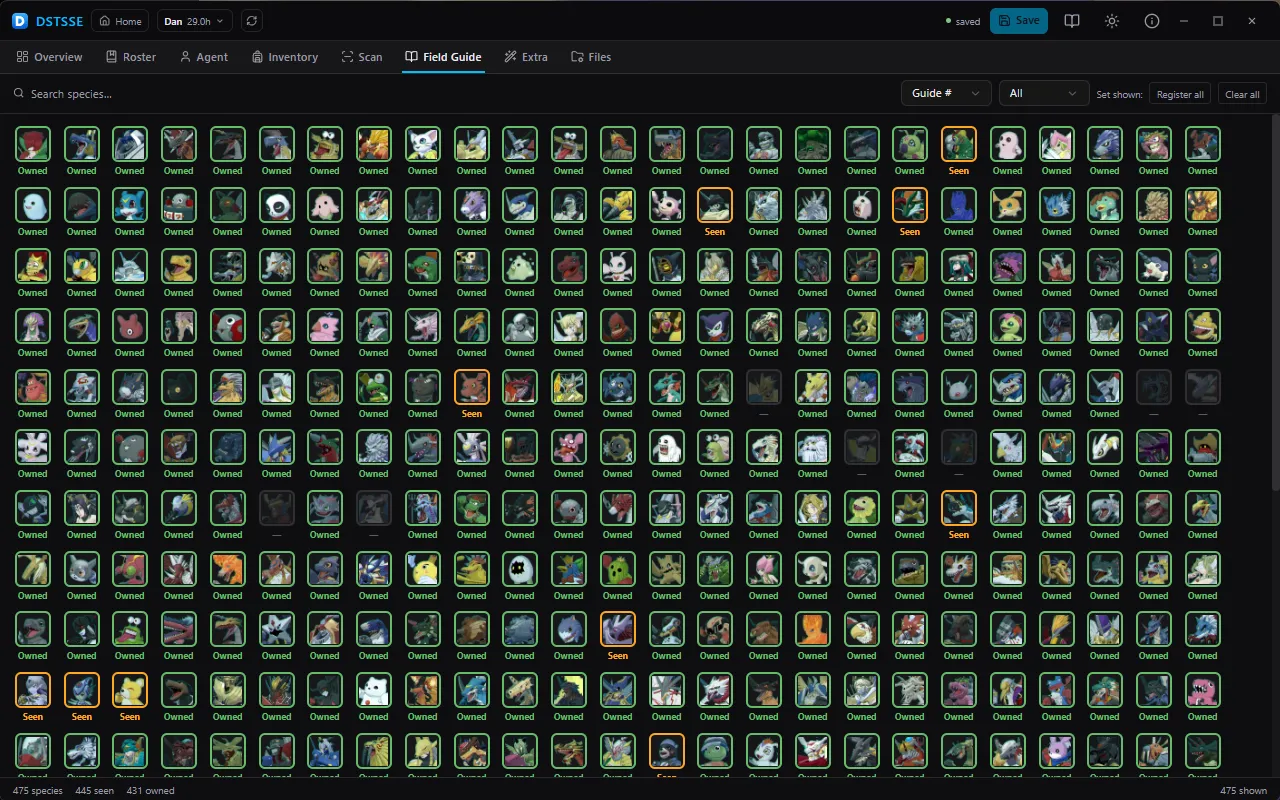
Real captures at the app's own 1280×800 window — no mockups, no invented data. Five of these own a region of the save file and show its address; the rest read across the whole thing and write nothing of their own.

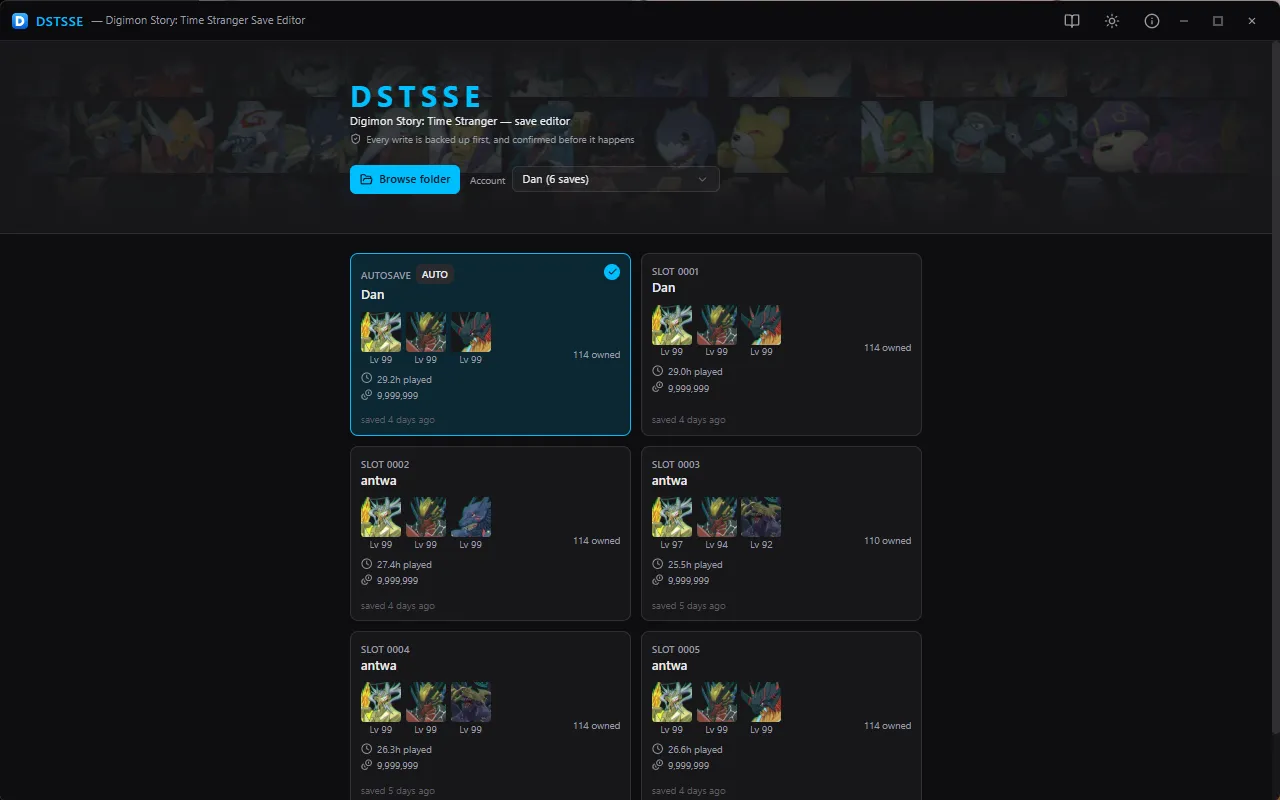
Open a save — Point it at your Steam savedata folder and every slot comes back as a card, each drawing t

Point it at your Steam savedata folder and every slot comes back as a card, each drawing the party trio the game's own load screen shows, with playtime, money, roster size and when it was last written. Folders you have opened are remembered, so the next time is one click.

Changelog

What has landed so far

Everything below is in the working build — not a roadmap, and not a plan. The same list appears inside the app, under About.

v0.1.0

Added

  • Save reading — AES-128-ECB decryption, header parsing, account and slot discovery, and the full roster (party, box and farm) with the stride base discovered rather than assumed.
  • Save writing — every pending edit applied to the decrypted buffer, re-encrypted and written back atomically. The batch is validated before a byte is touched, so a rejected edit is a no-op rather than a half-written save.
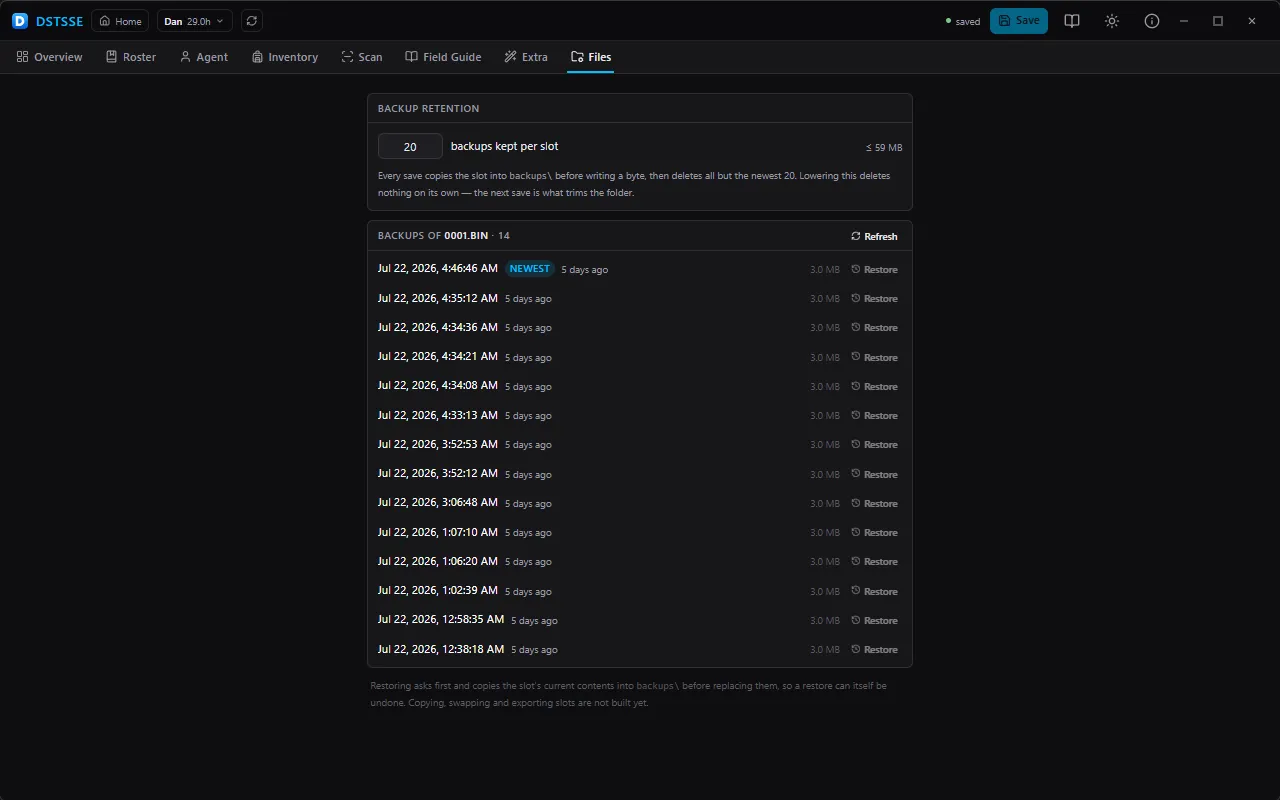
  • Automatic backups — a write always copies the slot first and aborts if that copy fails. How many to keep is a setting (1–100, default 20), read by the backend rather than the caller.
  • Restore — put any of a slot's backups back. The file is decrypted and parsed before anything is overwritten, and the current state is copied out first, so a restore is itself undoable.
  • Confirmation everywhere it matters — saving, closing over unsaved work, restoring a backup and switching slots all ask first, and itemise what is about to happen.
  • Roster editor — identity, levels and EXP, HP/SP, bond, talent, personality and its passive skill, food, evolution counters, three editable stat blocks, attachment skills and equipment, plus an Evolution panel that checks each candidate's requirements against this Digimon.
  • Agent editor — name, money, Anomaly Points and rank, above the five skill trees with prerequisite enforcement and per-tree unlock/refund.
  • Inventory editor — the full item catalog by category, with quantity steppers and a per-category fill.
  • Scan editor — the scan-percentage table as a sortable, filterable portrait grid with batch set.
  • Field Guide editor — the encyclopedia as a portrait grid; cycle a species through unseen, seen and owned, with batch register and clear.
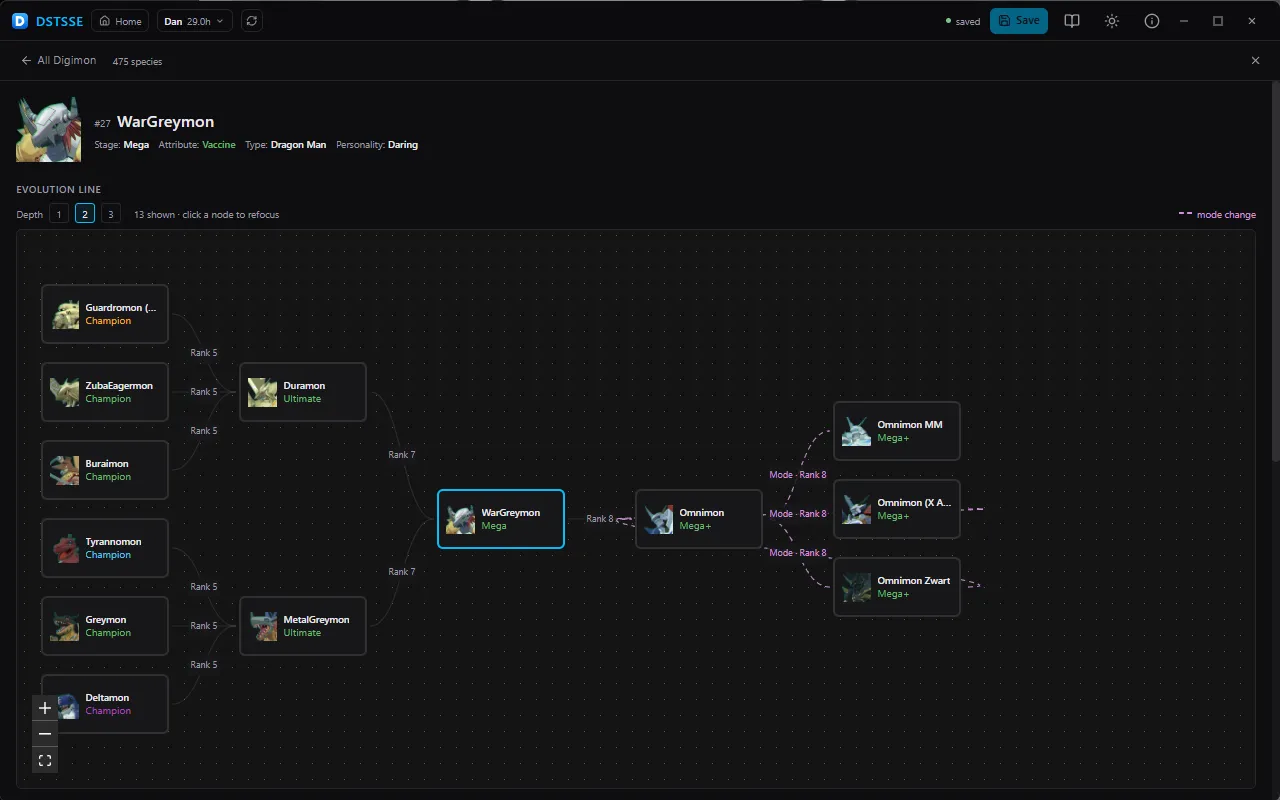
  • Digimon List (Digidex) — a standalone species browser that works with or without a save, including an interactive evolution graph with per-edge requirements.
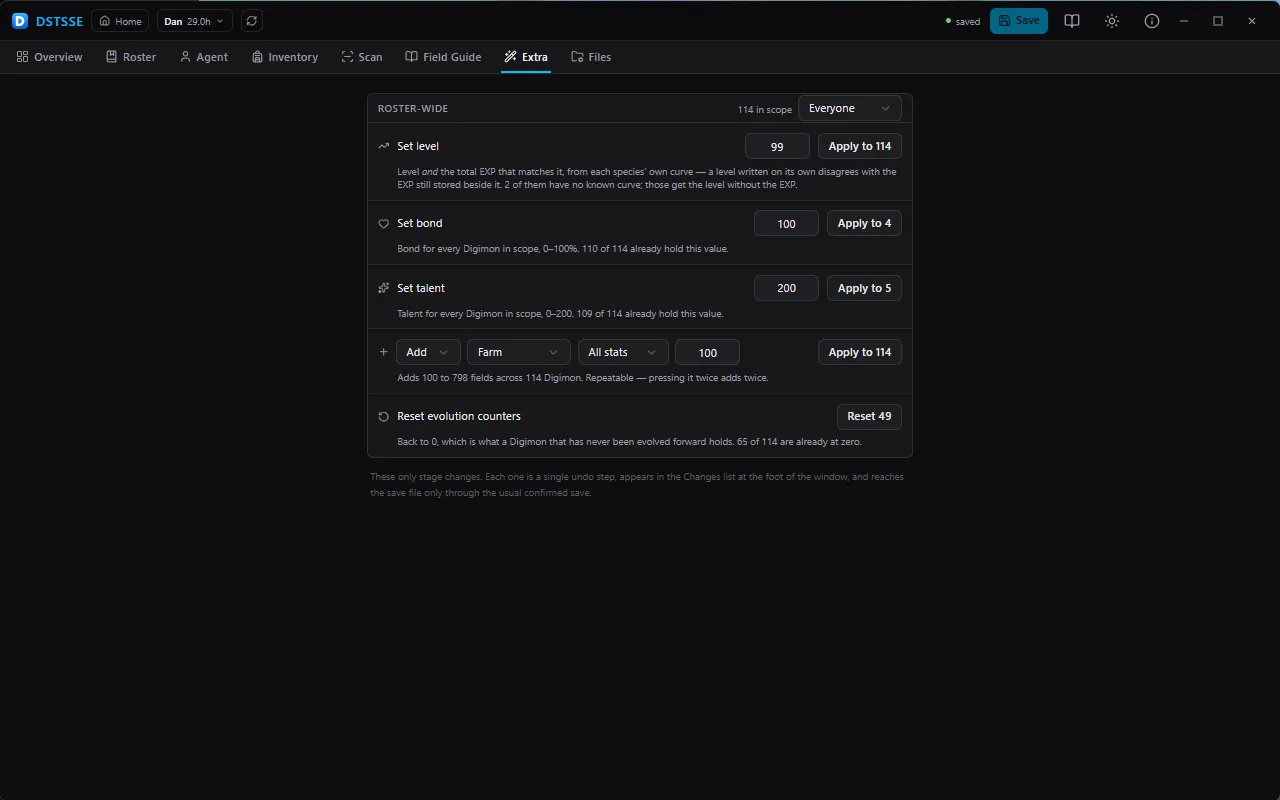
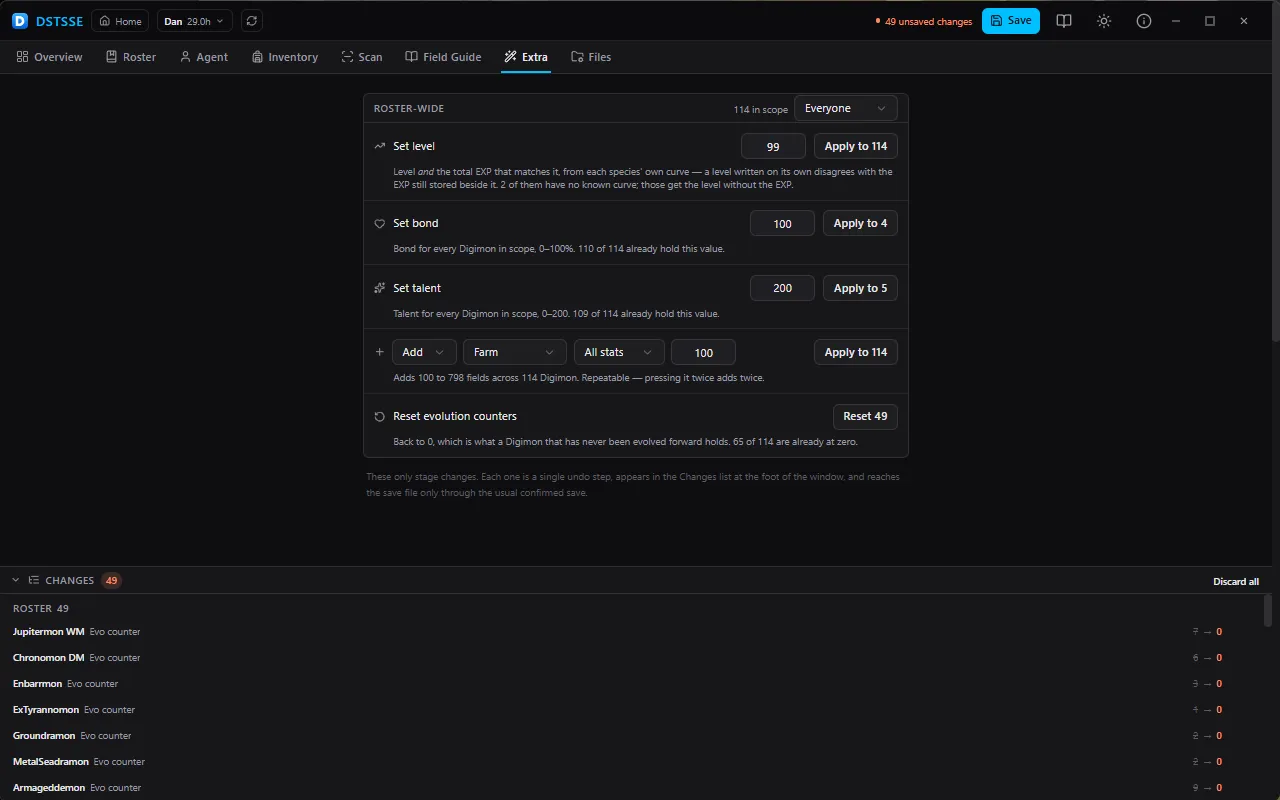
  • Extra tab — roster-wide bulk actions with a scope selector: set level (with the EXP that matches it), bond, talent, evolution counters, and add to or set whole stat blocks. Each button says how many records it would touch before you press it.
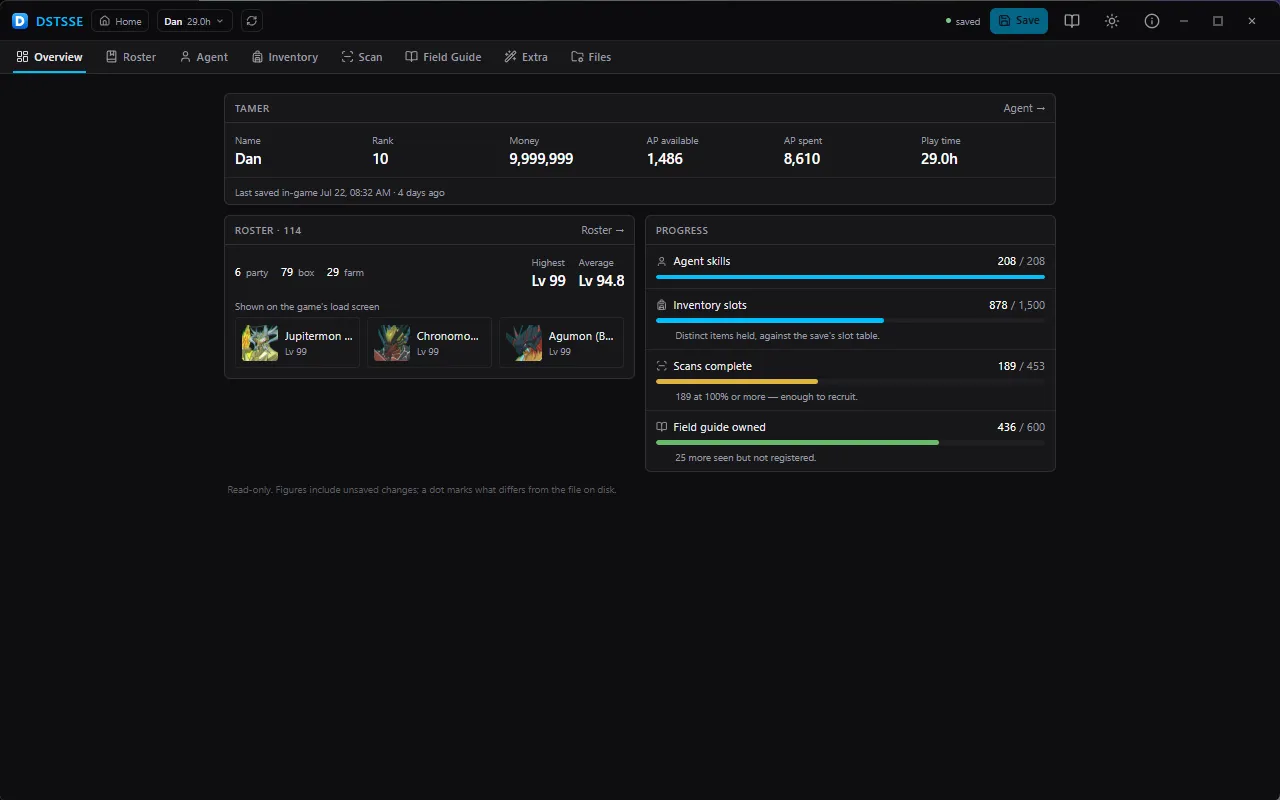
  • Overview tab — a read-only summary of the open save: tamer, roster split, the party trio, and progress bars for agent skills, inventory, scans and the field guide. Figures include unsaved changes, with a dot marking what differs from the file on disk.
  • Changes pane — every pending edit, grouped by editor and written out in words, each revertable on its own.
  • Undo and redo, with bulk actions undoing as a single step.
  • Save feedback — every write and restore reports what landed, or says plainly that nothing was written.

Only what a user would notice is listed. Everything else stays where it happened.

Download

Get DSTSSE 0.1.0

Unzip and run. The app copies your save before it changes anything.

Download (.zip)

Always resolves to the latest version.

Found a bug or have a suggestion?Open an issue.